When your new Healy arrives
Congratulations & welcome to the family!
 After signing up you will receive an introductory email. The email and password you created on signup is universal access to your back office, support, academy and apps once downloaded. (For members there is a different username and password for the e-wallet). Keep all in a safe place. If you do not receive an email, please contact your sponsor immediately.
NZ Delivery comes from Australia via Stocka who will send you an email with a tracking number. Other countries may use DHL or other deliveries. Rest assured you do not have to pay for anything extra in NZ for your Healy to be delivered. If you get emailed an importers form to fill out, make sure you save the form on your computer, fill it out and tick the “for personal use” box and send back with FOR PERSONAL USE ONLY written prominently. In the USA devices can arrive within days, NZ is 5-12 days and in other countries it can take weeks depending on supplies and shipping.
Now is a good time to take a base line record of things like scars, skin, how you feel, supplements or weight, with photos and notes, before things change. Sometimes symptoms just disappear and you don’t realise or have any proof.
If you prefer to watch videos, the below video covers a lot of what is written below or you can read at your leisure. You can also book into an Onboarding webinar at a time that suits or go through the Getting started interactive PDF.
First Steps Basic training academy videos are here.
Healy Basic Training
In MY TOOLS > MY DOWNLOADS > How to look after your Healy Device, usage, contraindications, warnings, maintenance etc.
Practical Stuff
- Always use the charging cord provided. Don’t be tempted to use a longer charging cord. Use a 5V DC power adapter with at least 2A output – the power adapters that your phone uses are fine. Be gentle when connecting the cables to the healy – there is a right way up. Charge your Healy until the green LED light goes out – this will be around 3 hours. Do not unplug before the green light goes off. Let the Healy drain completely before recharging fully – this will help battery life.
- You can remove any protective seal from the Healy.
Software
- For the Healy to work well you need android 9 or above, iOS software version 11 or above. If you want to check, the app store has the most up-to-date information.
- You need good bandwidth to install. Use WIFI or phone data – whichever is faster.
- In the email you receive when you purchased, there are the links to the apps to download or you can use the QR code in the smaller quickstart book that comes with the healy or search for the names in the app store (‘HealAdvisor Analyse’ – blue app (Resonance, Resonance Plus & Pro), ‘MagHealy’ for pink app for all users and HealAdvisor for the search module and other subscriptions). Links are here.
- Once apps are downloaded, follow the instructions in the manuals provided. (The manuals are also available in the SETTINGS or information section of each app and in the back office – they have lots of valuable information to read).
Starting your healy
- Make sure all your apps are closed on your phone. The clearer the internet connection the better.
- Make sure your phone’s bluetooth is on.
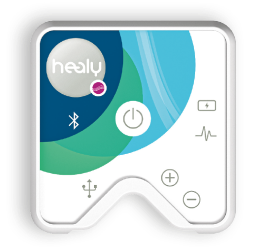
- Turn your Healy on with a firm quick push in the middle where you feel the raised lump under power symbol. Pushing the button is physically pushing a rod into a circuitboard to turn it on, not like using a phone which is electronic. Video about the button.
- Open the Healy 2 app. Let the app find your Healy. No need to pair in settings.
- Follow prompts – allow Healy to access photos, media, location, bluetooth on your phone – say yes to it all.
- Enter serial number (starts with a 01) or scan it with the QR code on the back of the Healy. (hold phone so the camera can see the QR code – it will scan)
- If you have only one blue program showing, let the app update. There should be a prompt to do this. Be patient.
- You can deactivate sound and notifications in app.
Bluetooth, WIFI & lights
- The device can be on without the green light being on. The green light comes on when you first turn it on and then will flash – the device is designed to pick up the app on your phone within 10 secs.
- WIFI and bluetooth. WIFI or cell data enables the programs to go from the Healy Cloud to your smart phone. Bluetooth enables the program to go from your device to you via the wristbands/earclips/adhesive pads.
- The bluetooth light is blue and lights up when Healy is connected to the mobile app. Swiping close the app will turn off the Healy and bluetooth light will turn off.
- Bluetooth is disconnected while microcurrents are running.
- Swipe closed all other programs when using Healy
- Make sure you have at least 20% phone storage free for the programs to run effectively. Delete unused apps, photos etc
- Make sure your IOS is up-to-date and apps
- If your device and the phone on your app won’t connect… remember it is the device that connects with the App. So turn the device on first, then turn on the app. If it doesn’t connect in 10 seconds, close it or restart phone. Healy has a weak bluetooth (BLE) signal so if you have previously used another device like headphones/GPS unit with bluetooth, Healy won’t be able to connect until you turn the other device off, turn off bluetooth, restart phone, move out of range from the other device, turn bluetooth, turn on Healy, open app and connect.
How to reset your Healy, phone, tablet if bluetooth isn’t connecting
- Go to Settings in your phone/tablet. Turn the Bluetooth off.
- Turn your phone/tablet off.
- Take your Healy. Press and hold the power button for up to 10 seconds, until the green light comes on solid. Release your finger. It’ll stay on solid for a few more seconds, then turn it off.
- Turn your phone/tablet back on.
- Go back into Settings and turn Bluetooth back on.
- Turn your Healy back on.
- Go back into the Healy app and connect.
Battery Basics
- Your new Healy arrives with only a partial battery charge for safe transportation – therefore ensure you follow the steps to calibrate your battery from day one for a longer battery life.
- Before using your new Healy, complete a full battery charge. As a minimum, charge the battery for 1.5 hours before first use. To maximise the full potential of your battery life, charge for 12 hours first time before use.
- To charge your Healy battery, connect your Healy USB charging cable to a USB smartphone charger rated to at least 100 mA (all standard smartphone chargers can provide this kind of power).
- Healy’s battery needs approximately 4 full charging cycles after its first use until the charge indicator is calibrated and the correct percentage of the charge is showing. Use your Healy until the battery is completely empty and recharge it again until the right LED light turns off.
- If you notice the green light on the Healy is very subtly flickering during the charging, this means that it is charging properly. If it is not, repeat the charging process, connect to another charger with more power, try another power outlet/socket or press the power button during charging. If the issue persists, reach out to support.
When using your Healy
- The battery should last for about 3-7 full program runs, depending on which program is being used, due to the differences in their duration and intensity. The duration also depends on your skin resistance and how well you treat your battery. The higher intensity you run the Healy (100% on MagHealy app) the more battery power it will use. If using the coil and healy all day and at 100%, the battery will run out quickly.
- Usually, the Healy should be fully charged after 4 hours of charging and the green light will pulse until it turns off which means the battery is fully charged.
- The battery low level warning is green LED light 5 quick blinks, then off. If you push the button again, it will repeat until the 5 blinks and off until you charge it.
- Run it until it is empty every time.
- Do not over charge your Healy – ie. charge it over night every night
- If the right-hand LED light is glowing permanently and flicker periodically your Healy is ready for use.
- The green light will also flash when transferring a program to the Healy and when frequencies are being generated.
- Always store your Healy away from sunlight, heat, and humidity. Keep the storage area ventilated and dry and maintain a relatively steady temperature.
- If you press and there is no green light. I would say the device has no charge OR it needs resetting. First check how much charge there is – use Healy 2 app to do this, the level of charge in the device shows top right. There is one exception to this rule; if you have recently reset the device, it may show you the wrong % of battery charge as that resets when you reset the device. Over time the battery has to learn again what is full and what is empty. If your phone and device aren’t connecting at all – plug Healy in to charge – green light comes on.
- If you are not going to use your Healy for an extended period of time, make sure the battery is charged – do not store your Healy for a long duration with an empty battery.
Calibrating the charge indicator
- Connect your Healy with the USB to micro-USB cable to a smartphone charger
- While the Healy is charging, press the power button briefly once. Now the green LED light should be glowing permanently and flicker periodically. If not, connect to another charger with more power, or try another power outlet/socket. Also, attempt to use a different micro-USB cable. If that does not work, try unplugging and re-plugging the device into the charger several times to restart the battery. You can think of it like a jump-start! The idea is to get the green light to come on to indicate the Healy is charging.
- Reset* the Healy by holding the power button for about 15-20 seconds (While the Healy is connected to the charger and the green LED light is ON). This step should only be performed once.
- Leave the Healy connected to the charger until the green LED light is OFF. This could take a few extra hours even if the app says 100% (Usually the Healy is fully charged after 4 hours, but it can take up to 12 hours).
- When the green light is OFF, disconnect the Healy from the charger.
- Press the power button to turn Healy ON.
- Use the Healy until the battery is completely empty (until the Healy cannot be turned on without recharging). Then proceed to recharge your device again until the green LED light is off. This charging cycle should be repeated 4-5 times until the battery sensor is properly calibrated. We ask that you please keep in mind that you should only reset your Healy (Step #3 reset*) once during the calibration process. If you reset your Healy before each charging cycle you will have to start the calibration process again.
- Now the battery should last for about 3-7 full program runs, depending on which program is being used, due to the differences in their duration and intensity. The duration also depends on your skin resistance.
Understanding the Battery
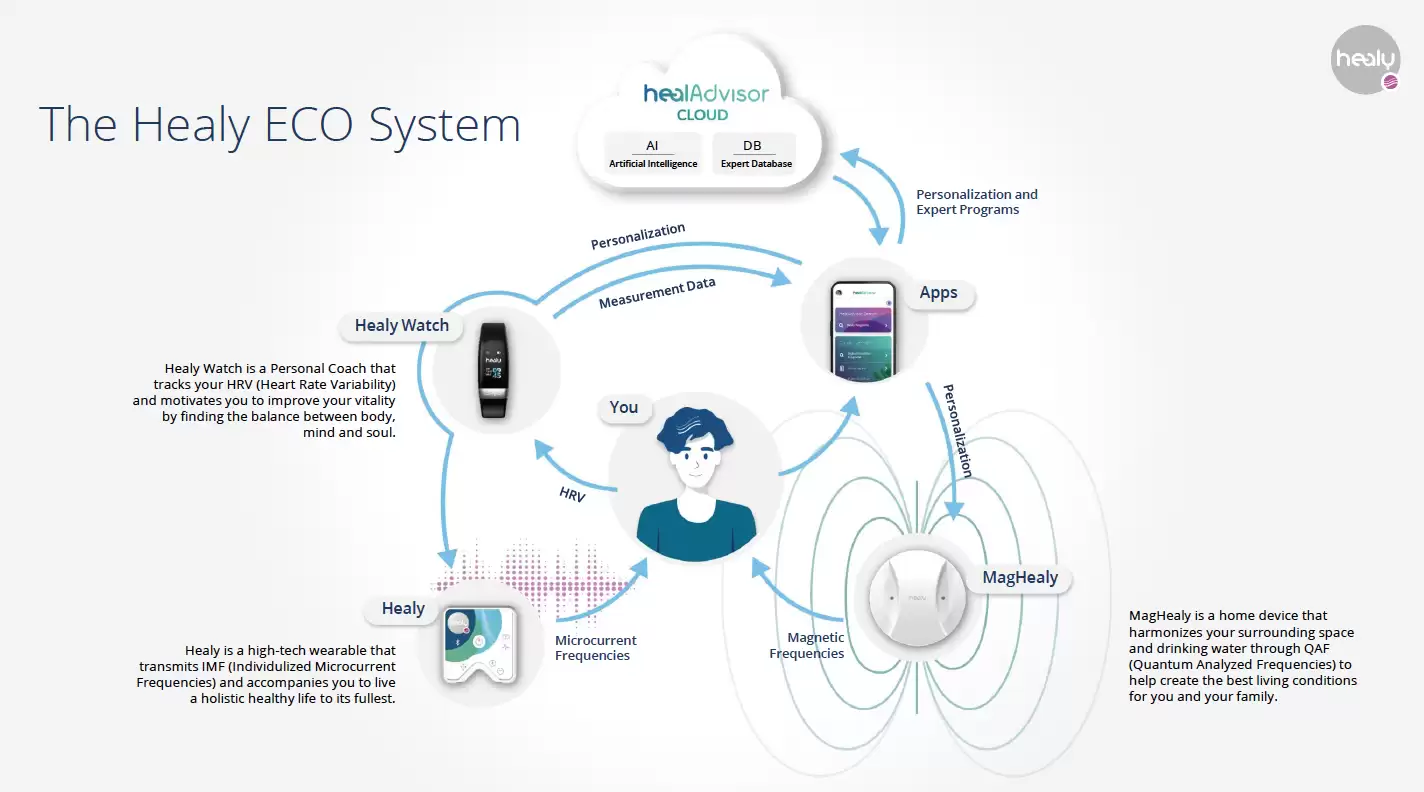
How Healy and the other elements fit together