
Try before you buy – 7 Day Demo Experience
Stepping into the world of Healy might seem overwhelming at first, but it doesn’t have to be. The Demo Experience simplifies the journey as you or your friends navigate the complexity of microcurrent frequencies and Information Field analysis. This is a fabulous tool for a first time user, whether they own their own Healy or are loaning from a friend. Even if you have owned a Healy for a while, I would recommend trying at least one of the six options on offer. There are lifestyle tips, it’s educational, easy and fun to use and available through the HealAdvisor App.
Benefits
- Six personal goals to choose from to improve your wellbeing organised across seven easy-to-understand daily guides
- Try-before-buy: Transition from demo to owning your own device effortlessly… if/when you desire
- Saves time and gracefully and simply steps through the information at hand
- Gain a 360° overview of Healy World
- Whichever edition you have, the required programs are unlocked for use over the seven days.
6 Personal Goals, 7 Days of Discovery!
Select the goal that best suits you, and tap into a unique and complete 7-day trial, full of exciting discoveries, dynamic activities and informative multimedia content.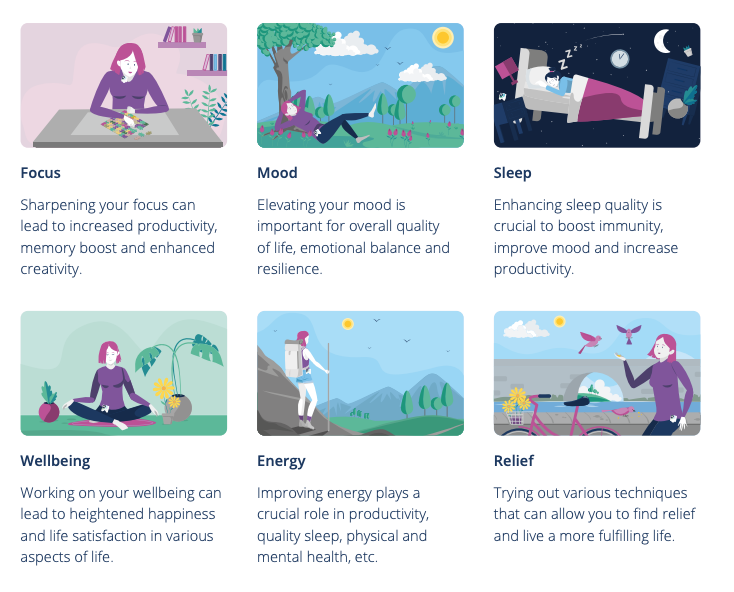
Your Daily Guide for a Great Experience
Make Every Day Count! Open the app and your daily guide is right there on your home screen
- Sessions – A large variety of sessions awaits you. Some are focused on information-building, whereas others are active guided sessions like meditation, breathing exercises, exercise etc.
- Program Recommendations – Receive Healy Individualised Microcurrent Frequency (IMF) program recommendations to support you in achieving your goal.
- Videos – Every day, get a new video that dives deep into the heart of Healy World, introducing you to the company, its founders, products, ecosystem and beyond.
- Surveys – Complete the surveys to determine your overall level of wellbeing and to track your progress throughout the journey.
Training
The below video is great, then see the academy…
The Academy > Courses > Healy Demo or Business > Business Trainings > Healy Demo
Overview
- Via your HealAdvisor app > settings > my healy, turn the Healy you want to loan out to demo mode. Check the serial number is correct.
- Download the HealAdvisor and Healy 2 app on the clients/friends phone, open the HealAdvisor app and register. If you want to try this yourself, log out of your own account and click on I have a test device.
- Scan the QR code and accept all conditions.
- Enter your name and select your objective/goal (six choices). You can look into each one to help you decide.
- Each day, open the HealAdvisor app and follow the prompts. You can’t skip forward. The next day opens on the next day page.
- Day seven is a day off to review and create a schedule/new habits/ritual.
- If your client/friend wants to get their own healy, there is a healy configurator to help choose which edition and a link to your shop.
- After seven days follow up with your friend/client to check in with them and retrieve your Healy or organise another week.
- Deactivate demo mode.
Tips
- There is a previous day option incase life gets a bit hectic and you miss one.
- There are lists of the programs you have run and the activities suggested for you (the list increases as you progress through the week).
- Once you are in demo mode and using the demo Healy for yourself, the normal functions of the search app are unavailable until you turn off demo mode. You lose where you were once you log out of demo mode and will need to start again.
- Even if you only have a gold edition, all the programs needed to complete the goal are available to you.
- When you click on the program to run in the HealAdvisor app it will open the pink app, but once it’s finished you have to close and go back to the HealAdvisor app.
- Use the feedback system if you have some suggestions.
- Demo mode is only available to members, if you would like to change from a Customer to a Member or have any questions, contact your sponsor or me.